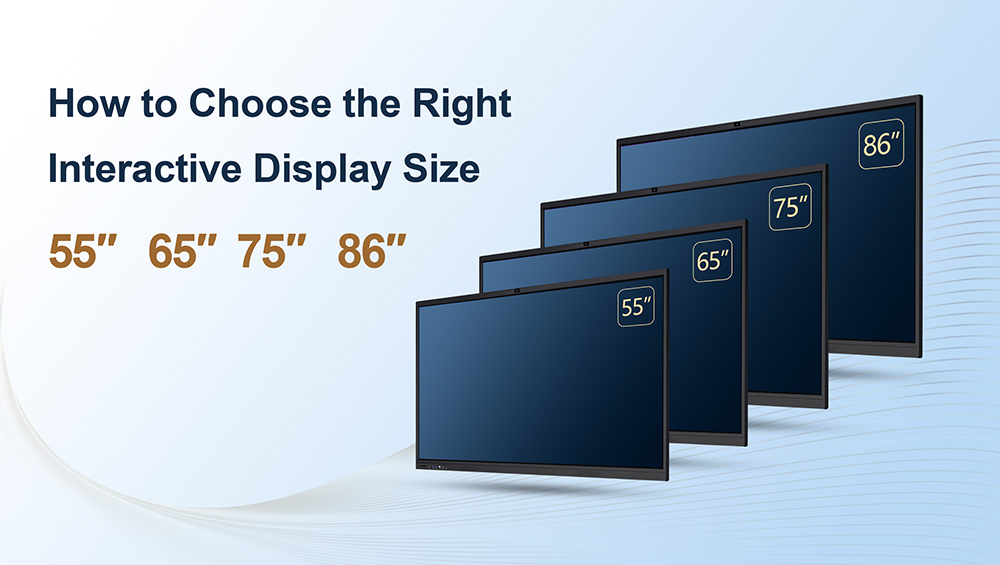
Of all the decisions in a display sourcing project, size looks like the easiest — and causes the most expensive mistakes. Order a 65 inch interactive whiteboard for a lecture hall and the back rows stop reading; specify 86″ panels for twenty small classrooms and you have overspent by five figures before installation even starts. For traders, project contractors and OEM/ODM brands, getting interactive flat panel sizes right is where margin and reputation are won or lost.
This guide gives you the working framework we use with our own B2B partners: a viewing-distance table you can drop straight into a tender response, the different sizing logic for classrooms, meeting rooms and retail signage, and the practical shipping and installation questions that decide whether an 86″ panel is a triumph or a logistics nightmare.
Interactive Flat Panel Sizes at a Glance: The Viewing-Distance Table
Screen size selection starts from one number: how far the farthest viewer sits from the display. The widely used AV rule of thumb is that the farthest seat should be no more than 4–6 times the screen height away for comfortable text reading. Translated into the four mainstream interactive flat panel sizes:
| Size | Typical Room | Audience | Comfortable Viewing Distance |
|---|---|---|---|
| 55″ | Huddle room, small office, tutoring room | 3–5 people | up to ~3.5 m |
| 65″ | Standard classroom, small meeting room | 15–25 people | up to ~4.5 m |
| 75″ | Mid-size meeting room, training room | 20–35 people | up to ~5.5 m |
| 86″ | Large classroom, lecture hall, showroom | 30–50 people | up to ~6.5 m |
These are industry rules of thumb, not absolute standards — content type matters (video tolerates more distance than spreadsheets), and any tender specification overrides general guidance. But when a buyer asks "what size interactive display for a classroom of thirty?", this table is how professionals answer in one breath.
Two sizing mistakes to warn your customers about. First, sizing for the presenter instead of the audience: the teacher or presenter stands at arm's length and always has a perfect view — it is the back row you are sizing for. Second, ignoring the mounting wall: a panel wider than the usable wall section, or mounted on a partition that cannot carry the load, turns a good choice into a change order.
Classroom vs Conference Room vs Retail: Three Different Sizing Logics
The same diagonal measurement behaves differently depending on the job the screen does.
Interactive display for classroom use is a touch-first, all-day device. Students gather around it, a teacher writes on it for hours, and the farthest student still needs to read body text. That pushes education projects toward 65″ as the volume workhorse for standard classrooms, 75″ where rooms run deeper, and 86″ for large classrooms and lecture-style spaces. Mounting height matters as much as size here: the center of the screen should sit roughly 110–130 cm from the floor so younger students can reach the lower touch zone.
Conference room display size logic is driven by the table, not the room. Participants view from a seated position around a long table, often sharing detailed content — dashboards, drawings, spreadsheets. In mid-size meeting rooms, 75″ has become the professional default; huddle spaces and executive offices work well at 55″–65″. If the room's primary job is video conferencing, check whether a model with a built-in camera and microphone array changes the equation — it often does.
Digital signage screen size logic is different again, because signage is viewed passively, from farther away, often in portrait. A retail kiosk at the end of an aisle needs to be read at 5–10 meters through ambient light and visual noise, which pushes signage toward larger and brighter rather than touch-capable and interactive. When your customer serves both worlds — a school that also needs corridor signage, a retailer that wants a touch kiosk at the entrance — spec the product lines separately instead of compromising one panel into both jobs.
Why 4K Matters More at 75″ and 86″
At 55″, a casual viewer can get away with less resolution. At 75″ and above, 4K UHD (3840 × 2160) stops being a marketing line and becomes a legibility requirement. The reason is simple geometry: classroom and boardroom viewers sit close relative to screen size, and teachers routinely share full spreadsheets, web pages and PDFs with small body text. On a large FHD panel those pixels are visible; on a large 4K panel the text stays crisp.
For tenders, this is an easy evaluation point: specifying 4K at 75″/86″ costs little extra from a serious factory and immediately separates credible bids from cheapest-possible ones. All mainstream sizes in a modern interactive flat panel lineup — 55″ through 86″ — should be 4K by default; treat anything less at the large end as a red flag.
Getting an 86 Inch Interactive Whiteboard Through the Door
Project contractors know this section by heart, and traders should learn it: at 86″, the product is no longer the hard part — the building is.
An 86 inch interactive whiteboard in its protective flight packaging is roughly 2.1 meters long and well over a meter tall, with a shipping weight that assumes a two-person lift plus equipment. Before anyone signs a delivery schedule, confirm:
- Elevator dimensions. Many older buildings' passenger lifts cannot take an 86″ boxed panel; some cannot take it even unboxed. Freight elevator access, or a stair plan, must exist before the truck arrives.
- Door and corridor widths. Measure the narrowest point on the route, including corners. A panel that fits the room but not the corridor turn is a surprisingly common failure.
- Wall load and mounting. Large-format panels demand a verified load-bearing wall and, at 86″, reinforced mounting hardware. Drywall anchors are not a plan.
- Sea freight realities. Large panels ship efficiently in well-planned containers — a mixed container (panels plus signage plus spare parts) drops per-unit freight dramatically. Typical sea transit from Shenzhen runs 3–4 weeks, so size decisions lock early in the project calendar.
None of this argues against 86″ — it argues for treating size selection and site survey as one decision, made once, early.
The Budget Ladder: What Each Size Step Costs
Size is the single biggest price driver on an interactive display quote. As an orientation point for standard configurations (4K UHD, 20–40 point touch, Android mainboard), typical FOB China ranges run roughly: $300–550 at 55″, $400–800 at 65″, $700–1,200 at 75″, and $1,000–1,800 at 86″. Configuration — touch points, camera, memory, OPS, certification — moves a quote within the band, and order quantity moves it again. (Our interactive whiteboard price guide breaks those factors down in detail.)
The budget insight for B2B buyers: the per-inch price rises steeply at the top end, so standardizing on the smallest size that genuinely fits each room type is the highest-leverage saving in a multi-room project. A district standardizing classrooms on 65″ and reserving 86″ for two lecture halls spends noticeably less than one ordering 75″ everywhere "to be safe".
OEM/ODM Notes: One Lineup, Your Brand
For brands building their own display line, size strategy is also a product-line strategy. A factory platform that shares chassis design, mainboards and firmware across 55″/65″/75″/86″ lets you offer a coherent family under your logo — same UI, same boot screen, same packaging design across every size — without paying engineering costs four times. At e-uniwill, fully customized orders (bezel logo, boot screen, UI languages, retail packaging) start from 5 units, samples ship in 7–15 working days with the fee credited to your first volume order, and SKD/CKD kits are available for partners assembling locally.
On the software side, sizes share the same options: Android with optional Google EDLA certification for official Google services, and Windows OPS modules for projects that need a full PC behind the glass. The certification set — CE, FCC, RoHS, ISO 9001, CB, CCC — covers the lineup, with certificates and test reports provided for tender documentation packs. And because large panels live hard lives in schools and public venues, the warranty structure matters at every size: e-uniwill ships a 2-year whole-unit warranty with spare parts available for 10 years, backed by firmware and remote troubleshooting support.
A Quick Checklist Before You Specify Sizes
- Map every room type to the viewing-distance table; standardize per room type, not per project
- Confirm whether the use is touch-first (classroom), table-driven (conference room) or passive viewing (signage) — they size differently
- Specify 4K UHD at 75″ and above without exception
- Run the site survey for 86″ before ordering: elevator, doors, corridor turns, wall load
- Compare quotes inside the same configuration, and compare landed cost, not FOB, against local retail
- Decide branding scope (logo, boot screen, packaging, firmware) before mass production starts
Need Sizes Matched to a Real Project?
e-uniwill is a Shenzhen OEM/ODM display factory — established 2010, 7,000㎡ facility, 100+ staff, 2 production lines — manufacturing interactive flat panels, digital signage and mobile smart screens for traders, project contractors and brands worldwide. Send us your room list or tender specification: we will map each space to the right size in our 55″–110″ interactive flat panel lineup, flag any installation risks, and quote factory-direct within one business day. Start your RFQ here.